Amol B

What makes a good reading journal app?
Three tests. Can you write a note that stays with a specific book and a specific page, so that in a year you open the book and see your thoughts in order? Can you get a passage from a paper page into the app in seconds, without typing it? And can you export everything as plain text or CSV, so the journal survives the app's pricing changes or its disappearance? Most tracking apps pass none of these; most notes apps pass only the third.
Six apps and a notebook, compared
| Notes per book | Anchored to page | Capture from paper | Export | Price | Best for | |
|---|---|---|---|---|---|---|
| Pensovo | Yes, any book | Yes | Photograph a page; on-device, free | On the roadmap; notes stay if you cancel | Free (Premium is summaries) | Paper-book readers; a streak alongside the journal |
| Bookmory | Yes | Yes | OCR quotes | CSV | Free with ads; $30.99/yr | Offline journal keepers |
| Book Tracker | Yes | Yes | OCR quotes | CSV | $19.99 once (Apple) | Apple users who want to pay once |
| StoryGraph | Review and notes per book | No | No | CSV | Free; Plus $49.99/yr | Stats first, journal second |
| Notion / Obsidian | Anything you build | If you build it | Manual, or via Readwise | Yes | Free tiers | Tinkerers; cross-referencing |
| Readwise | Highlights, not books | Location | Photo OCR | Yes | $9.99/mo | Heavy Kindle highlighters |
| Paper notebook | A page per book | If you write it | By hand | n/a | The notebook | Pleasure; the object |
Pensovo
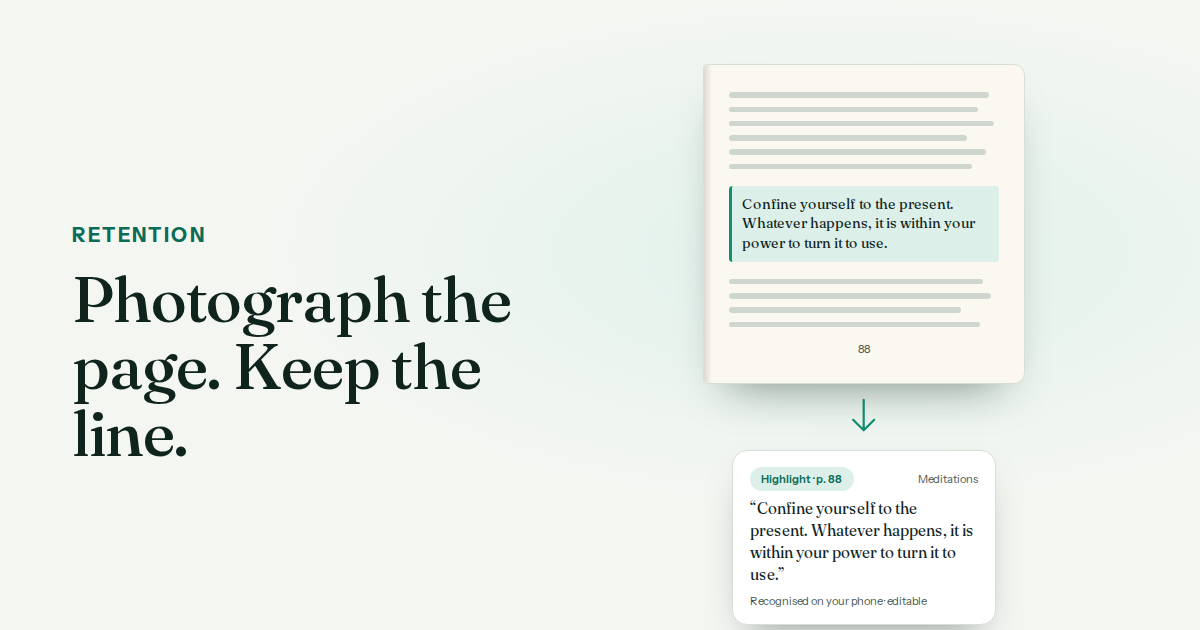
Notes and highlights on any book — including ones no catalogue lists — anchored to the page you were on. Photograph a page and the passage becomes editable text, recognised on the phone, offline, free; a highlight is treated as a quotation and never silently rewritten. The tracker around it (streaks, calendar, shelves) is free too. The gap: export is on the roadmap rather than shipped, though notes and highlights stay in full if you cancel Premium.
Bookmory
An offline-first journal with OCR quote capture, a cover calendar and CSV export, with the largest Android community of the indie apps. The free tier carries ads that users report crash the app; the paid tier removes them at $30.99 a year.
Book Tracker
Apple-only, no account, no servers, OCR quotes, a loan tracker and CSV export, for $19.99 once. If you live entirely on Apple devices and dislike subscriptions, it is the cleanest answer here.
StoryGraph
A review and notes field per book, and the best statistics in the category, but no page anchoring and no capture. A tracker with a journal field, not a journal.
Notion, Obsidian and the build-it-yourself route
Infinitely flexible: a database of books, a page per book, backlinks between ideas. Also slow at the moment that matters — the page, at eleven at night — because capture means typing or a separate OCR tool. Best paired with something that captures fast and exports into it.
Paper
The most pleasant way to keep a reading journal and the hardest to search. A page per book, the date and page number on every entry, and photograph the finished notebook so a spilled drink is not the end of it.
Common questions
What is the best app for a reading journal?
For paper-book readers on any phone, Pensovo or Bookmory; on Apple with a one-off price, Book Tracker. For stats first, StoryGraph. For a system you build yourself, Notion or Obsidian.
Is there a reading journal app that works offline?
Bookmory is offline-first. Pensovo works signed out and recognises page photos on the phone; it syncs when you sign in.
Which reading journal app can photograph a page?
Pensovo, Bookmory and Book Tracker turn a photo of a page into text attached to the book. Readwise does it for highlights.
Can I export my reading journal?
Bookmory, Book Tracker, StoryGraph, Notion and Readwise export today. Pensovo's export is on the roadmap; your notes stay in full if you cancel Premium.
Is a paper reading journal better than an app?
For pleasure, often. For finding a note in a year, no. Many readers capture digitally and copy the best entries into paper by hand.
Can I keep a reading journal in Notion?
Yes, and it is very flexible. The cost is capture speed: at the page, Notion means typing. Pair it with a fast capture tool.